FAQ:
Using gift links:
Non Donating Players.
1) Select a gift category from the categories to your right.
2) Select a single gift from the category which you have chosen.
3) Non donating players will see a list of links, click on one of those links (opens new tab).
Once the link has been opened & the gift accepted, simply close it & select another link. Each link you have used will turn red so you know you have already used it.
4) If you go directly to your farm instead of the accept gift page, and you havent visited that link in the last 48 hours, the link may no longer work. Please report that link as broken so it can be removed from our database.
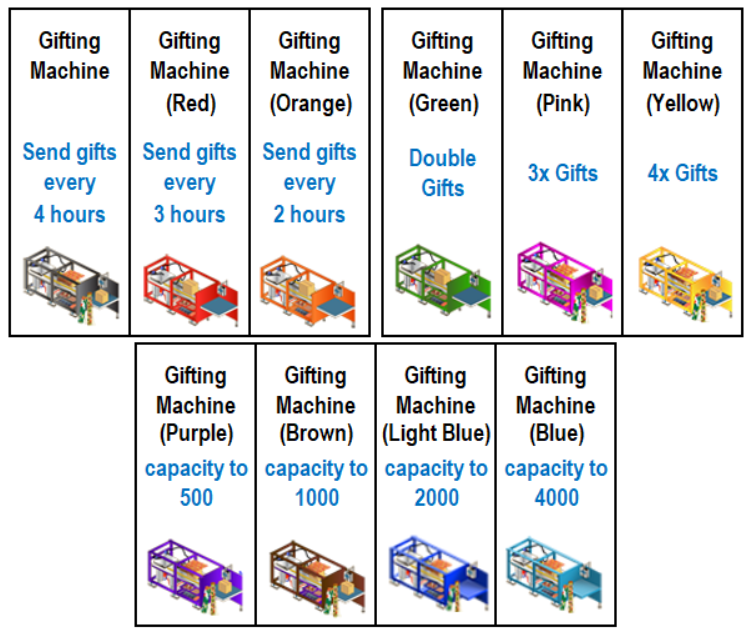
Here is is a list of current gifting machines available to use.
Auto Gifter:
Donators Only.
Here is an excellent way of accepting gifts, it opens a gift window & every 3 seconds (or whichever you have the speed set at) loads a new gift into the same window sending all the gifts on that page automatically.
Using this method takes away the usual multiple tab method & you can accept upto 200 gifts in a few minutes.
Owners of the Brown Gifting Machine available in your Farm Town Store can accept upto 1000 links!!
Theres only 1 thing you must remember, once you have clicked to run the script let it run. Do not try to navigate away, continue surfing the net or anything or the script will stop. When it has finished it will close the window for you so you know it has completed.
If you still wish to surf the web you can however safely use another browser & it will not interfere with the script.
Make sure you then empty your gift box before moving to the next page.
Auto Bonus Collector:
Donators Only.
Here is an excellent way of accepting bonuses. Simply check/tick each item you wish to collect like this:
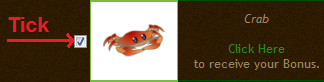
Scroll back to the top & click the "Click Here" to collect link. This will open a new window like the Auto Gifter & run through all your selected bonuses.
Theres only 1 thing you must remember, once you have clicked to run the script let it run. Do not try to navigate away, continue surfing the net or anything or the script will stop. When it has finished it will close the window for you so you know it has completed.
If you still wish to surf the web you can however safely use another browser & it will not interfere with the script.
Submitting your own links:
Submitting Gift links:
I will be updating these instructions soon as a few things have changed.
Submitting Bonus & Ingredient links:
Adding your own bonus & ingredient links is really easy.
Remember when you click the Get Bonus or Send Ingredients link like this:
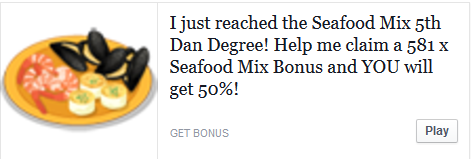
Once you clicked it you end up on this page:
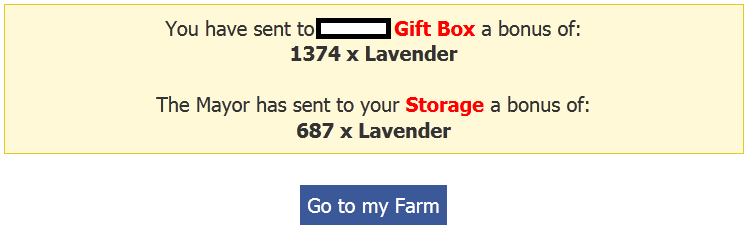
Simply copy the address/url when you are on that page into our Upload Form & click the add button. The link will be scanned & all valid links will be added to our database.
eFarmer Tool:
 The eFarmer Auto Clicker Tool is an application developed to do all the clicking for you in Facebook games.
Set how many clicks you require per second, which mouse button to click and then press the shortcut keys on your keyboard to activate the clicking. All you have to do is move your cursor around the screen and the work is done automatically! Up to 50x the speed and efficiency! No more tired finger!
The eFarmer Tool is now available for Windows and Mac!
Please click on the image above to purchase directly from the eFarmer website.
The eFarmer Auto Clicker Tool is an application developed to do all the clicking for you in Facebook games.
Set how many clicks you require per second, which mouse button to click and then press the shortcut keys on your keyboard to activate the clicking. All you have to do is move your cursor around the screen and the work is done automatically! Up to 50x the speed and efficiency! No more tired finger!
The eFarmer Tool is now available for Windows and Mac!
Please click on the image above to purchase directly from the eFarmer website.